Le pitch
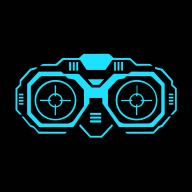
Star Wars Binoculars superpose un HUD de jumelles sur le flux caméra de ton mobile en temps réel. Contours angulaires, ticker de coordonnées GPS qui défile quand la position est disponible, horloge, FPS. Inspiré des jumelles vues dans The Mandalorian S01E01.
Essayer : presque.cool/starwarsbinoculars
Pourquoi ce projet
The Mandalorian, saison 1, épisode 1. Le personnage lève ses jumelles et on voit apparaître une interface HUD : contours découpés, texte qui défile, coordonnées.
J’ai pensé que ça serait cool d’avoir une app mobile qui simule cet écran. Pas juste comme un fond statique, mais sur le flux caméra réel. Star Wars a toujours eu des interfaces fortes — depuis les cockpits du Faucon Millenium dans l’Episode IV jusqu’aux terminaux de l’AT-AT dans Empire. Les jumelles Mandalorian en sont la version la plus ludique à portée de poche.
Deux versions
v1 — Proto HTML/CSS (mai 2022)
Juste le HUD dessiné sur une page fixe. Pas de flux caméra, pas de GPS. Un exercice de reproduction visuelle : est-ce qu’on peut recréer l’esthétique en CSS pur ?
La réponse : oui, avec augmented-ui, une bibliothèque CSS qui génère des clip-path SF via des data-attributes. L’overlay principal combine tl-round tr-round br-round bl-round l-clip l-clip r-clip r-clip b-scoop b-scoop — sans un seul pixel SVG.
v2 — Application Preact (mai 2026)
Quatre ans plus tard : migration vers Preact + TypeScript, et ajout de tout ce qui manquait. Le flux caméra en temps réel, le GPS, la capture et la galerie.
Le défi technique
La partie qui a posé le plus de problèmes : la MediaStream API et la capture.
Accès caméra
getUserMedia ne se comporte pas de la même façon selon les navigateurs mobiles. L’état de permission doit être suivi indépendamment (idle → pending → granted / denied), et réagir aux changements en cours de session — l’utilisateur peut révoquer l’accès depuis les paramètres système sans recharger la page.
Le flux ne démarre pas au montage : la caméra est activée uniquement sur action explicite, avec bascule avant/arrière (facingMode: 'user' | 'environment').
La capture
Capturer un frame du flux caméra avec le HUD superposé n’est pas trivial. Il faut composer le flux vidéo et les éléments HTML du HUD sur un canvas, exporter en image, stocker dans un système de slots de sauvegarde. Le ticker GPS qui défile, les découpes augmented-ui — tout doit être figé au moment de la capture, dans le bon état.
Autres contraintes mobiles
- Screen Wake Lock API pour empêcher l’écran de s’éteindre pendant l’utilisation
- Orientation lock (paysage forcé) pour que l’overlay corresponde au format des jumelles
- Le ticker de tracking (
T 14:23:07 • LAT 48.8566 • LON 2.3522 • 060FPS) utilise la Geolocation API avec fallbackLOC NO_SIGsi pas de signal
Stack technique
- Preact + TypeScript — compatible React, 3 KB au lieu de 45 KB
- Vite — comme bundler
- Zustand — state management, persistance localStorage (paramètres) + IndexedDB (captures)
- Tailwind CSS — config CSS-first, OKLCH
- augmented-ui — clip-path SF via data-attributes
- MediaStream API — flux caméra live
- Geolocation API — coordonnées GPS dans le ticker
- Screen Wake Lock API — écran toujours allumé
- PWA — installable, offline
- i18n maison (français/anglais)
- CSP — Content-Security-Policy avec hashes auto-générés
Évolutions
| Date | Version | Description |
|---|---|---|
| Mai 2022 | 1.0 | Proto statique — HUD HTML/CSS pur, sans flux caméra ni GPS |
| Mai 2026 | 2.0 | Migration Preact — Caméra live, GPS, capture, galerie, slots, PWA |
Bilan
Ce que j’ai appris :
- La MediaStream API est plus complexe qu’elle n’y paraît. Les états de permission, le cycle de vie du flux, les différences entre navigateurs mobiles — ça s’accumule vite.
- Quatre ans entre le proto et la version fonctionnelle, c’est long. Mais le proto avait répondu à la question essentielle (est-ce que l’esthétique est faisable) avant de s’attaquer aux problèmes durs.
augmented-uiest peu connue mais très bien adaptée à ce type de projet. Elle fait gagner des heures sur des formes SF qui seraient pénibles à reproduire à la main.
Ce que je referais pareil :
- Valider l’esthétique d’abord, le fonctionnel ensuite. Le proto 2022 n’était pas du temps perdu.
Ce que je changerais :
- Traiter la capture plus tôt dans la conception. C’est une des fonctionnalités principales et elle a été conçue après coup, ce qui a compliqué son intégration.
- J’aimerais ajouter d’autres HUDs inspirés de différents films et séries Star Wars. L’univers regorge d’interfaces : les écrans du Faucon Millenium, les viseurs de casques de clone, les terminaux impériaux. Chaque source a son esthétique propre.
The pitch
Star Wars Binoculars overlays a Star Wars binoculars HUD on your mobile camera feed in real time. Angular clip-path borders, a scrolling GPS ticker when a position is available, clock, FPS. Inspired by the binoculars seen in The Mandalorian S01E01.
Try it: presque.cool/starwarsbinoculars
Why this project
The Mandalorian, season 1, episode 1. The character raises his binoculars and a HUD appears: cut-out borders, scrolling text, coordinates.
I thought it would be cool to have a mobile app that simulates that screen — not just as a static background, but over a live camera feed. Star Wars has always had strong interfaces: from the Millennium Falcon cockpits in Episode IV to the AT-AT terminals in Empire. The Mandalorian binoculars are the most pocket-friendly version of that.
Two versions
v1 — Static HTML/CSS prototype (May 2022)
Just the HUD drawn on a fixed page. No camera feed, no GPS. A visual reproduction exercise: can we recreate the aesthetic in pure CSS?
The answer: yes, with augmented-ui, a CSS library that generates SF clip-paths via data-attributes. The main overlay combines tl-round tr-round br-round bl-round l-clip l-clip r-clip r-clip b-scoop b-scoop — without a single SVG pixel.
v2 — Preact app (May 2026)
Four years later: migration to Preact + TypeScript, and everything that was missing. Live camera feed, GPS, capture and gallery.
The technical challenge
The part that caused the most trouble: the MediaStream API and capture.
Camera access
getUserMedia behaves differently across mobile browsers. Permission state must be tracked independently (idle → pending → granted / denied), and react to mid-session changes — the user can revoke camera access from system settings without reloading the page.
The stream doesn’t start on mount: the camera is activated only on explicit action, with front/back switching (facingMode: 'user' | 'environment').
Capture
Capturing a frame of the camera feed with the HUD overlay isn’t trivial. You have to composite the video stream and the HTML HUD elements onto a canvas, export as image, and store in a save-slot system. The scrolling GPS ticker, the augmented-ui clip-paths — all of it must be frozen at the right moment, in the right state.
Other mobile constraints
- Screen Wake Lock API to prevent the screen from going dark during use
- Orientation lock (forced landscape) so the overlay matches the binoculars format
- The tracking ticker (
T 14:23:07 • LAT 48.8566 • LON 2.3522 • 060FPS) uses the Geolocation API withLOC NO_SIGfallback when there’s no signal
Tech stack
- Preact + TypeScript — React-compatible, 3 KB instead of 45 KB
- Vite — bundler
- Zustand — state management, localStorage persistence (settings) + IndexedDB (captures)
- Tailwind CSS — CSS-first config, OKLCH
- augmented-ui — SF clip-paths via data-attributes
- MediaStream API — live camera feed
- Geolocation API — GPS coordinates in the ticker
- Screen Wake Lock API — screen always on
- PWA — installable, offline
- Custom i18n (French/English)
- CSP — Content-Security-Policy with auto-generated hashes
Timeline
| Date | Version | Description |
|---|---|---|
| May 2022 | 1.0 | Static prototype — Pure HTML/CSS HUD, no camera feed or GPS |
| May 2026 | 2.0 | Preact migration — Live camera, GPS, capture, gallery, slots, PWA |
Takeaways
What I learned:
- The MediaStream API is more complex than it looks. Permission states, stream lifecycle, mobile browser differences — it adds up quickly.
- Four years between the prototype and the functional version is a long time. But the prototype had answered the essential question (is the aesthetic achievable?) before tackling the harder problems.
augmented-uiis little-known but very well suited to this kind of project. It saves hours on SF shapes that would be painful to reproduce by hand.
What I’d do the same:
- Validate the aesthetic first, the functional later. The 2022 prototype wasn’t wasted time.
What I’d change:
- Design the capture feature earlier. It’s one of the core features and was bolted on after the fact, which complicated its integration.
- I’d love to add more HUDs inspired by other Star Wars films and series. The universe is full of interfaces: Millennium Falcon cockpit screens, clone trooper helmet visors, Imperial terminals. Each source has its own aesthetic.